Original
Neural
Workspace hero image
Workspace3.9 MB to 132 KB
96.7%
smaller
The world's best image compressor.
Smol studies every image before it compresses it — protecting faces, text, and edges while the rest of the file disappears. Nothing is uploaded, ever.
Apple Silicon · Intel · macOS 13/14+ · Instant download
On 24 public test images, Smol’s AVIF needed fewer bytes than every other encoder we tested at the same SSIMULACRA2 quality score. See the data
This is a 975 KB photo, straight off the camera.
Smol maps what matters — faces, edges, texture.
94 KB. Try to tell the difference.
 photo.jpg · 975 KBphoto.avif · 94 KB
You know the routine. The deck that's too big to send. The screenshot that bloats a doc. The sketchy “free compressor” tab asking you to upload a client's contract. Smol ends it. Drop the file, it gets small, and it never leaves your Mac.
How Neural works
Normal compressors treat an image like a flat grid. Smol compresses around human attention — warm areas are kept, cool areas are squeezed.
01 / SCAN
Before a single byte is compressed, the Neural pipeline looks for faces, eyes, text, object edges, texture, and depth — the things a human actually looks at.
02 / MAP
Warm regions mark detail that must survive: faces, text, key subjects. Cool regions mark sky, shadows, and smooth surfaces that can carry far more compression.
03 / ALLOCATE
High-importance regions are protected. Low-importance regions are squeezed hard. The file shrinks dramatically — without the ugly artifacts flat compressors smear across everything.
04 / VERIFY
The encoder searches for the smallest AVIF that still respects the map, then hands you a before/after viewer so you can try to spot the difference yourself.

Try it now
Drop a photo. It compresses right here, on your device, using your browser's own encoder. It never leaves this tab.
Drop an image here
or click to browse · JPEG, PNG, WebP
This demo uses your browser's basic WebP encoder. The Mac app goes much further — Neural AVIF with detail protection, plus PDFs, video, and audio.
The evidence
Any compressor can win on file size by throwing away more of the picture. So we tuned each tool to the same quality score on 24 public test images, then counted the bytes it needed.
Bytes needed for the same quality, all 24 Kodak images
Shorter is better. Every encoder tuned to the same SSIMULACRA2 score of 70 on each image.
| Format and tool | Total bytes |
|---|---|
| AVIF · Smol | 922 KB |
| AVIF · sips (Apple) | 1,161 KB |
| JPEG · Smol | 1,189 KB |
| WebP · Smol | 1,220 KB |
| JPEG · sips (Apple) | 1,327 KB |
| JPEG · Caesium | 1,349 KB |
A sips or Caesium script is more than ten times faster, and ImageOptim is about eight times faster on JPEGs. Apple’s JPEG encoder is 6% smaller at high quality. ImageOptim has a lossless mode and Smol does not. On the older SSIM metric, Squoosh’s AVIF came out 4% smaller than ours.
Kodak suite, 24 images · SSIMULACRA2 and SSIM · Smol 1.0.35, standard compression · M2 Pro, macOS 27 · 5 October 2026
Real photos, real savings
These are not lab samples. Smol compressed portraits, products, interiors, food, flat lays, and workspace shots with ML-guided detail retention.
Smol reduced this high-resolution workspace image from 3.9 MB to 132 KB while preserving the details a visitor actually notices.
20
real photos
23 MB
originals
2.2 MB
Neural AVIFs
3.9 MB to 132 KB
96.7%
smaller
2.6 MB to 121 KB
95.5%
smaller
1.3 MB to 86 KB
93.4%
smaller
1.5 MB to 103 KB
93.4%
smaller
1.7 MB to 114 KB
93.3%
smaller
1.3 MB to 95 KB
93.1%
smaller
1.5 MB to 111 KB
92.6%
smaller
945 KB to 92 KB
90.2%
smaller
852 KB to 99 KB
88.3%
smaller
789 KB to 93 KB
88.2%
smaller
759 KB to 92 KB
87.9%
smaller
787 KB to 119 KB
84.9%
smaller
739 KB to 135 KB
81.8%
smaller
709 KB to 135 KB
80.9%
smaller
631 KB to 125 KB
80.2%
smaller
547 KB to 109 KB
80.1%
smaller
731 KB to 150 KB
79.4%
smaller
493 KB to 111 KB
77.5%
smaller
253 KB to 83 KB
67.1%
smaller
216 KB to 114 KB
47.0%
smaller
The app
Drop files on the menu bar, the tray, or straight into the app. Smol compresses on your Mac's own silicon — no upload, no queue, no waiting on someone else's server.
Product demo video showing Smol compressing files on macOS.
At scale
Every compression tool looks fast on one file. These are real batches from a real Mac — the whole queue, the total saved, and the clock it took.

One drop, 2 minutes 41 seconds, 87% saved across the batch. No per-file clicking, no daily quota, no waiting for an upload bar.

Big video is where browser tools stop entirely — most cap out somewhere between 100 MB and 2 GB. Smol streams it through your own silicon, so the ceiling is your disk.
Classic mode
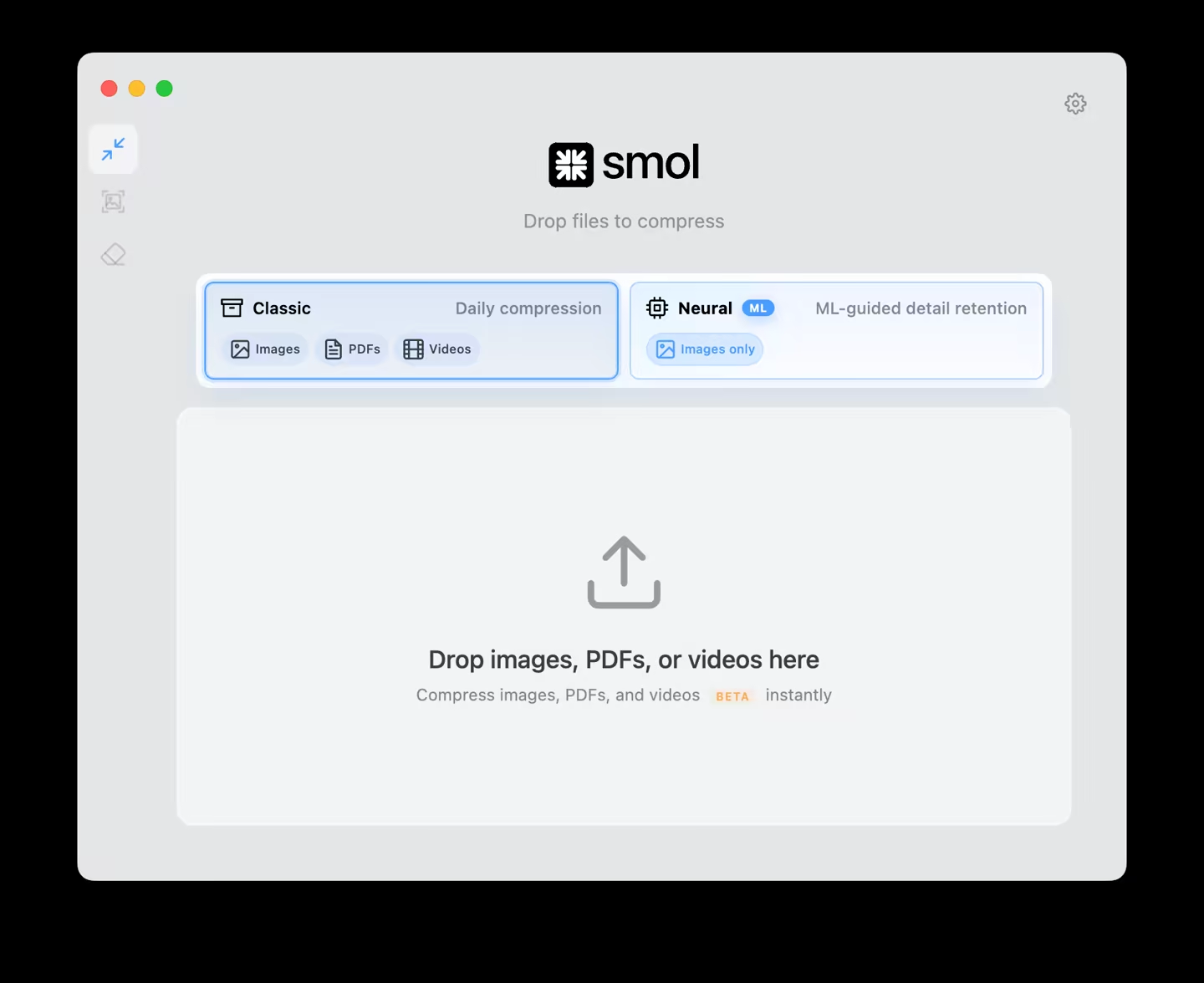
Neural is for when an image is precious. Classic is for everything, every day — drag, drop, done. No caps, no quotas, no upload queue.
Smol compresses a 975 KB JPEG into a 94 KB AVIF — about 90 percent smaller — entirely on your Mac. Nothing is uploaded.
A live look at Classic mode: photos, reports, recordings, and audio — each one smaller in seconds, none of it uploaded.
CLIPBOARD
Copy a 9 MB screenshot and Smol swaps in a 412 KB version before it lands in Slack, Notion, email, or docs. You stop thinking about it.

PDF / 5 PRESETS
Five quality presets, from email-ready to print-perfect. Pick one, drop the file, send it.

VIDEO / H.265
The same HEVC standard HandBrake uses — without the presets, flags, or command line. Roughly 50% more efficient than H.264 at equal quality.

CONVERT / LOCAL
HEIC, AVIF, WebP, JPEG, PNG, MOV, MP4, FLAC, AAC, PDF — picked from one menu, converted on your Mac.

AI UPSCALE / 2× · 4×
640 × 640 to 2560 × 2560 with eyelashes and fabric weave still intact.

PRIVACY / EXIF
GPS coordinates, camera serial, lens, and timestamps — gone before you share. Pixels untouched.

FINDER / QUICK ACTIONS
A real macOS Quick Action, so it works on a selection of files in place — no browser tab, no upload form, no export step.

MENU BAR
Drop files on the menu bar tray and the result sits in the dropdown — savings per file, and a button straight to Finder.

GLOBAL / 50 LANGUAGES
Presets, quality labels, tooltips, and workflow text — translated in context, not machine-pasted.

EVERY ENCODER SHIPS IN THE APP — NOTHING ELSE TO INSTALL
Supported formats include JPEG, PNG, WebP, AVIF, HEIC, GIF, TIFF, BMP, CR2, NEF, ARW, DNG, PDF, MP4, MOV, AVI, MKV, WebM, MP3, AAC, WAV, FLAC, DOCX, PPTX, XLSX, CSV, TTF, OTF, WOFF.
New · Smol for AIMCP
Smol supports MCP — the Model Context Protocol — so Claude Code, Codex, Google Antigravity, and other MCP-compatible AI tools can drive Smol directly. Your agent compresses, converts, upscales, and strips metadata with real, granular control, and every file is processed locally on your Mac.

Fast, exact compression for images, PDFs, video, and audio — with explicit quality targets rather than a vague “make it smaller”.
Detail-first image compression guided by visual analysis, so faces, text, and edges survive the size reduction.
Local conversion across images, documents, video, audio, tables, and fonts — JPEG, PNG, WebP, AVIF, HEIC, RAW, PDF, MP4, MP3 and more.
AI upscale 2× or 4×, strip EXIF and GPS metadata, resize, and automate whole batches in one instruction.
Native
Not a web page in a wrapper. Smol is a native macOS app built on Apple frameworks, so it starts instantly, follows your system appearance, and passes Gatekeeper the first time you open it.


Smol is signed with a Developer ID and notarized, so macOS confirms it has been checked for malicious software before it opens. No right-click workaround, no security warning to click past.
Privacy
NDAs, HIPAA records, legal drafts, unreleased work — processed by encoders that ship inside the app. There is no upload queue because there is no upload. Compress one file or fifty thousand; the only limit is your disk.
∞
files per day — no quotas
4 GB+
single files — no size caps
0
accounts, servers, or uploads

Open Activity Monitor, switch to the Network tab, and run a full batch. Smol's row stays at 0 bytes sent and 0 bytes received — that is the operating system reporting it, not us.

Every encoder and the neural model ship inside the app, so a full job runs with the network disabled — on a plane, on a locked-down machine, or on a client site with no guest access.
Why not the others?
One app for images, PDFs, video, and audio. Local, instant, unlimited — no quotas, no subscription, no upload form.
| Feature | Smol$29 one-time | Clop$15 one-time | ImageOptimFree | Optimage$15 one-time | Squash$29–39/yr |
|---|---|---|---|---|---|
| Images | Yes | Yes | Yes | Yes | Yes |
| Neural compression | Yes | No | No | No | No |
| PDFs | Yes | Yes | No | No | No |
| Video | Yes | Yes | No | Yes | Yes |
| AI Upscaling | Yes | No | No | No | No |
| RAW file support | Yes | No | No | No | No |
| AVIF output | Yes | No | No | Yes | No |
| PDF quality presets | Yes | No | No | No | No |
| 100% local | Yes | Yes | Yes | Yes | Yes |
| Menu bar / tray | Yes | Yes | No | No | No |
| Smart Clipboard | Yes | Yes | No | No | No |
| Feature | Smol$29 one-time | TinyPNG$39/yr | SquooshFree | JPEGmini$59 one-time |
|---|---|---|---|---|
| Unlimited files (no caps) | Yes | 20 at once, 5 MB each | 1 at a time | Yes |
| Images (18 formats) | Yes | JPEG, PNG, WebP, AVIF, JXL | JPEG, PNG, WebP, AVIF, JXL | JPEG out, HEIC in |
| Neural compression | Yes | No | No | No |
| ML-guided detail retention | Yes | No | No | No |
| PDFs | Yes | No | No | No |
| Video | Yes | No | No | No |
| AI Upscaling | Yes | No | No | No |
| AVIF output | Yes | Yes | Yes | No |
| 100% local | Yes | No | Yes | Yes |
| Batch processing | Yes | Yes | No | Yes |
| Feature | Smol$29 one-time | PDF Squeezer$19.99 one-time | Smallpdf$108/yr | Acrobat Pro$240/yr |
|---|---|---|---|---|
| Unlimited files (no caps) | Yes | Yes | 2/day free | Yes |
| PDFs | Yes | Yes | Yes | Yes |
| Images | Yes | No | No | No |
| Video | Yes | No | No | No |
| AI Upscaling | Yes | No | No | No |
| 100% local | Yes | Yes | No | Yes |
| Batch processing | Yes | Yes | Yes | Yes |
| Menu bar / tray | Yes | No | No | No |
| Feature | Smol$29 one-time | HandBrakeFree | Topaz AI$199 one-time | Permute$14.99 one-time |
|---|---|---|---|---|
| Video | Yes | Yes | Yes | Yes |
| AI Upscaling | Yes | No | Yes | No |
| Images | Yes | No | Yes | Yes |
| PDFs | Yes | No | No | No |
| 100% local | Yes | Yes | Yes | Yes |
| Menu bar / tray | Yes | No | No | No |
| Smart Clipboard | Yes | No | No | No |
Competitor prices, limits and formats are taken from each vendor’s own pages and can change. Tell us if one is out of date.
“My Figma exports went from 4 MB to 400 KB in seconds. Smol is the first thing I install on every new Mac.”
“Finally a PDF compressor that doesn't require a browser tab and a sketchy upload. Worth every penny.”
“Smart Clipboard is genuinely magical. I paste compressed images into Notion without thinking about it.”
Pricing
Acrobat costs $240 every year. Smol costs $29, once.
SOLO
One license, one Mac.
TEAM
Three licenses, three Macs.
ENTERPRISE
One Mac per employee.
For developersNEW
Smol API puts the compressor behind this app on a single HTTPS request. Send an image, get the smallest file Smol can make at the quality you asked for. Built for image pipelines, upload flows and build steps that can’t run a Mac app.
From $0.01 per image. Plans from $20 a month, all of it usable. Read the announcement
curl -X POST "https://api.smolmac.com/v1/compress" \
  -H "Authorization: Bearer $SMOL_API_KEY" \
--data-binary @photo.jpg -o photo.min.jpgMeasured at default settings (quality 75, images fitted inside 2000 × 2000 px) on our own test files. Yours will differ.
Questions
Yes. Smol includes an MCP (Model Context Protocol) server, so AI coding tools can use Smol's local media-processing capabilities directly. Connect Claude Code or Codex from the in-app "Smol for AI" area and your agent can compress, convert, upscale, resize, and strip metadata from images, video, PDFs, and audio — all running locally on your Mac. Files are never sent to a cloud processing service.
Open Smol, go to the "Smol for AI" area in the sidebar, and follow the guided setup for your client. Smol supports Claude Code and Codex out of the box and shows a live Connected status for each once the MCP connection is active. You can also copy the full AI guide from that panel and paste it into your agent so it knows every tool and setting available.
Far more than a generic "compress" action. Through MCP an agent can run Classic compression (fast, exact, for images, PDFs, video, and audio), Neural compression (detail-first image compression guided by visual analysis), Convert (images, documents, video, audio, tables, and fonts), and Enhance (AI upscale 2× or 4×, strip metadata, automate batches). It can also choose the output format, quality target, compression mode, output location, resize and upscale settings, and batch behaviour — then read back structured results including input size, output size, and savings.
Yes — that is the point of the design. MCP connects your AI client to the Smol app running locally on your Mac, rather than uploading assets to a cloud processing service. Your images, videos, PDFs, and audio stay on-device for the entire job. This makes it usable for client work, unreleased product assets, and material under NDA that you would not put through an online tool.
General-purpose agents either shell out to whatever encoder happens to be installed or make a best guess at settings, and results drift between runs. Smol gives AI tools a dedicated local finishing layer: production-grade encoders, Neural detail retention, explicit and repeatable settings, and structured results the agent can verify. The same instruction produces the same output every time, so an agent can apply one standard across an entire project.
Drop any image into Smol — JPEG, PNG, WebP, AVIF, HEIC, or RAW. Smol compresses using professional-grade encoders that reduce file size by 50–90% while preserving visual quality. You can adjust the quality slider for full control. Everything runs locally on your Mac — no uploads, no accounts.
It depends on what you need, and we measured it. On the 24 public Kodak test images, Smol's AVIF output needed 15–21% fewer bytes than Apple's built-in AVIF encoder and 22–26% fewer than the best JPEG encoder to reach the same SSIMULACRA2 quality score, and its JPEG and WebP files are level with Squoosh's. Against ImageOptim with its lossy mode on, Smol's AVIF needed 20–22% fewer bytes than ImageOptim's JPEG at the same score. Smol also compresses PDFs, video and audio and converts files in the same window, locally, a whole folder at a time. It is not the fastest tool (a sips script is quicker) and it has no lossless mode (ImageOptim is the pick for that). Results, method and raw data: smolmac.com/benchmark.
Here is what we can show. On 5 October 2026 we compressed the 24 public Kodak test images with Smol, Apple's sips, Squoosh and Caesium, and scored every output against its original. Tuned to the same SSIMULACRA2 score, Smol's AVIF files were the smallest: 15–21% smaller than Apple's AVIF, 15% smaller than Squoosh's default AVIF and 22–26% smaller than the best JPEG output tested. Here is what it does not show. Smol was slower than sips and Caesium, Apple's JPEG encoder was 6% smaller at high quality, by the older SSIM metric Squoosh's AVIF was 4% smaller, and Smol has no lossless mode. The numbers cover Smol's standard compression, not Neural mode. The data and scripts are public at smolmac.com/benchmark, so you can check them yourself.
For making photos and web images smaller, yes, and we measured it. On 9 October 2026 we ran ImageOptim 1.9.3 and Smol on the same 24 Kodak test photos. At its default lossless settings ImageOptim made the JPEGs 8.9% smaller; Smol's default, which is lossy, made them 69.3% smaller. With ImageOptim's lossy mode on and both tuned to the same SSIMULACRA2 score, Smol's AVIF files were 20–22% smaller than ImageOptim's JPEGs and 71–76% smaller than its PNGs. ImageOptim cannot write AVIF, WebP or HEIC, convert formats or resize, and its last release was in October 2023. It is still the better choice for pixel-identical lossless optimization and for SVG, it is faster on JPEGs, and it is free. Kept as JPEG, the two produce files of about the same size. Details: smolmac.com/imageoptim-alternative.
Neural compression studies the image before encoding. Smol maps faces, text, edges, depth, and fine detail, then protects important regions while compressing less important regions harder. The result is dramatically smaller AVIF images that keep the visual detail people notice.
Smol builds an importance map before compression. Warm areas mark faces, text, key subjects, object edges, and unique detail that should stay crisp. Cool areas mark low-detail backgrounds, smooth surfaces, sky, and shadows that can be compressed more aggressively.
No. Every file is processed 100% locally on your Mac, whether it uses Apple Silicon or Intel. Your images, PDFs, videos, audio, Office files, tables, and fonts never leave your device. There are no accounts, no servers, no upload queue. Smol uses bundled native encoders that run entirely on your machine.
Drop your PDF into Smol and choose a quality preset: Tiny (72 DPI, email-ready), Small (150 DPI, sharing), Medium (300 DPI, everyday), Large (300 DPI, print quality), or Original. A 50 MB InDesign export can become 3–5 MB without visible quality loss. All compression runs locally — your PDF never leaves your Mac.
Yes. Smol compresses MP4, MOV, AVI, MKV, and WebM files using H.265 (HEVC) encoding — the same standard HandBrake uses, but with a simple drag-and-drop interface. No presets to configure, no command-line flags. Drop a video, choose High or Web quality, done. H.265 is roughly 50% more efficient than H.264 at equal visual quality.
Yes. Smol converts images, PDFs, Office files, video, audio, tables, and fonts locally on your Mac. Use it for everyday conversions like HEIC to JPEG, PNG to AVIF, DOCX to PDF, XLSX to CSV, MOV to MP4, and FLAC to MP3 without uploading files.
Yes. Smol supports local audio compression and conversion across common formats including MP3, AAC, WAV, FLAC, OGG, and ALAC. Choose the output format and quality, then process files locally without a browser-based converter.
AVIF is the most efficient image format every current browser can display. In our 24-image benchmark, AVIF files were 22–26% smaller than the best JPEG at the same SSIMULACRA2 quality score, and about 40% smaller at the same SSIM. Smol converts any image to AVIF with a single drop. If you're building for the web or optimising assets for performance, AVIF is the right choice. For compatibility with older software, JPEG or WebP are safer.
Drop your HEIC file (or folder of files) into Smol, set the output format to JPEG in settings, and compress. Smol batch-converts HEIC to JPEG, WebP, AVIF, or PNG. HEIC is the default format for iPhone photos — Smol converts them locally without uploading to any web service.
One-time purchase of $29. No subscription, no renewal, no recurring fees. Pay once and own Smol forever, including all future updates. Compare that to Smallpdf at $108/year or Acrobat Pro at $240/year — tools that charge you annually for features you use every day.
Yes. Smol has separate native downloads for Apple Silicon and 64-bit Intel Macs, with the same compression, conversion, AI upscaling, batch, Finder, clipboard, and update features. Apple Silicon requires macOS 13 or later; Intel requires macOS 14 or later. Choose the matching download after purchase.
Drop any image or PDF into Smol and enable "Strip metadata" in settings. Smol removes all EXIF, GPS, IPTC, and XMP data — camera model, GPS coordinates, author info, timestamps. You can strip metadata without recompressing, so the image content remains pixel-perfect while the identifying information is removed.
AI upscaling uses a machine learning model to enlarge images while reconstructing realistic detail — far sharper than traditional resizing. Smol runs its upscaler entirely on your Mac using the native engine for its processor. Enlarge images 2× or 4× with no internet connection, no API key, and no cloud upload required.
Yes. Drag a folder of 500+ files into Smol — images, PDFs, and videos mixed together — and Smol processes them all. Virtual scrolling means the interface stays fast even with 1,000+ files. You can watch per-file progress, see individual savings, cancel mid-batch, or re-optimise specific files after the run completes.
On 24 public test photos, Smol's default setting made high-quality JPEGs 69.3% smaller and PNGs 69.2% smaller, and converting the PNGs to AVIF made them 92.1% smaller (data at smolmac.com/benchmark). Results vary with the content. PDFs from InDesign or Acrobat often shrink 70–90% for email use. Videos encoded with H.265 are typically 40–60% smaller than the original. Smol always keeps the smaller result — if compression would increase file size, it keeps the original.
Yes — significantly. Online tools require uploading your file, waiting for server processing, and downloading the result. With large files or slow connections, that's minutes per file. Smol processes files in seconds using your Mac's CPU and GPU directly. No upload, no download, no queue. A 100 MB video that takes minutes online takes under 30 seconds in Smol.
No. Smol has no file size limits, no daily caps, and no monthly quotas. Drop a 4 GB video, a 50,000-image folder, or 200 PDFs at once — it all works. Online tools like TinyPNG cap free users at 5 MB per image, Smallpdf at 2 PDFs per day, and iLoveImg at 25 MB. Because Smol runs locally on your Mac, the only limit is your disk space. One $29 purchase covers unlimited compression forever.